How to make the More Like a Quesadilla meme
Pick the part you want to play
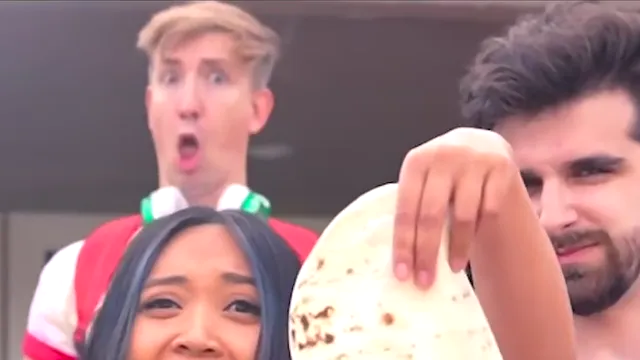
The clip has two different performances. The singer delivers the line across three shots and raises the tortilla. The person behind her gives the reaction at the end. Choose the version based on which of those performances you want your photo to take over.
Singer uses one photo for the foreground role. It follows her from the outdoor group to the indoor close-up and back again.
Reaction uses one photo for the performer with green headphones behind the singer.
Both roles gives you one slot for each performer. Add a photo to either slot, or fill both to cast two people.
Read the role map before you upload
Open Role map above the workbench. In the final outdoor frame, the foreground face sits below the tortilla. The reaction performer is behind and above her on the left. The map and the role row select the same slot, so you can use whichever is easier on your device.
Use one clear portrait per role. A face with both eyes visible, good light and little motion blur gives the edit a stronger starting point. For the background role, use a tighter crop of the face if the subject is small in your photo. Pick photos you have permission to use.
Follow the original timing
The opening stays outdoors with the group and the singer's palm gesture toward the man in the floral shirt. Just after two seconds the clip cuts to the indoor close-up. It returns outdoors just before four seconds. The tortilla rises near the end and the background performer drops his jaw behind it. The finished video carries the original sound, so you do not have to line up a second audio track.
Generate and save the full clip
Choose a resolution, read the current credit charge in the generator and start. If a purchase is needed and available, the workbench shows the next step. When the video is ready, play it in the result panel, then save the MP4. For the quickest start, open the workbench and pick a role.